

We use WebinarGeek to run live and automated webinars from one platform, instead of juggling a landing page tool, a streaming tool and an email service. It worked well for a client project that needed a series of automated webinars. It is not perfect, though, so this post covers what we built, which features matter, where the limits are and what to check before you buy.
Quick answers – Jump to section
- Why does the webinar platform matter for lead generation?
- What problem were we trying to solve?
- What did we build with WebinarGeek?
- Which WebinarGeek features matter?
- What are the limits?
- How do automated webinars fit a Web3 or FinTech sales process?
- How do you plan and promote a webinar?
- How do you decide if WebinarGeek is right for you?
- Frequently Asked Questions
Why does the webinar platform matter for lead generation?
The webinar platform matters because it decides how many steps stand between a visitor and a booked place. A webinar is only as good a lead source as the process around it: registration, reminders, the session itself and the follow-up.
A good platform should do more than host a video call. It should handle the registration page, send reminder emails, run the live or automated session, offer a replay and give you data on who attended.
Each gap in that chain costs you leads. If reminders go out late, fewer people turn up. If the replay is hard to find, people who missed the session never watch it. If you cannot see who attended, you cannot follow up with the right message.
A streamlined process also saves time and reduces stress for the team. That matters more than it sounds. When a webinar takes a day of technical set-up, teams run fewer of them, and the channel never gets a fair test.
What problem were we trying to solve?

We were trying to stop running webinars across several disconnected tools. Before WebinarGeek, we used one tool for the landing page, another for the live stream and a separate email marketing service for reminders and follow-ups.
Managing those systems was slow. Every webinar meant building pages in one place, scheduling a stream in another and writing emails in a third. A change to the time or title meant updating all three.
The problem became sharper when a client asked for a series of automated webinars. A series multiplies the work. Each session needs its own page, its own reminders and its own follow-up, and every one of them has to match.
Our team was worried about the complexity. We needed a simple way to build the series once and let it run. That meant one platform that handled the page, the session and the emails together.
We also wanted something a new team member could pick up without a long handover. If only one person understands the set-up, the whole channel depends on them.
What did we build with WebinarGeek?
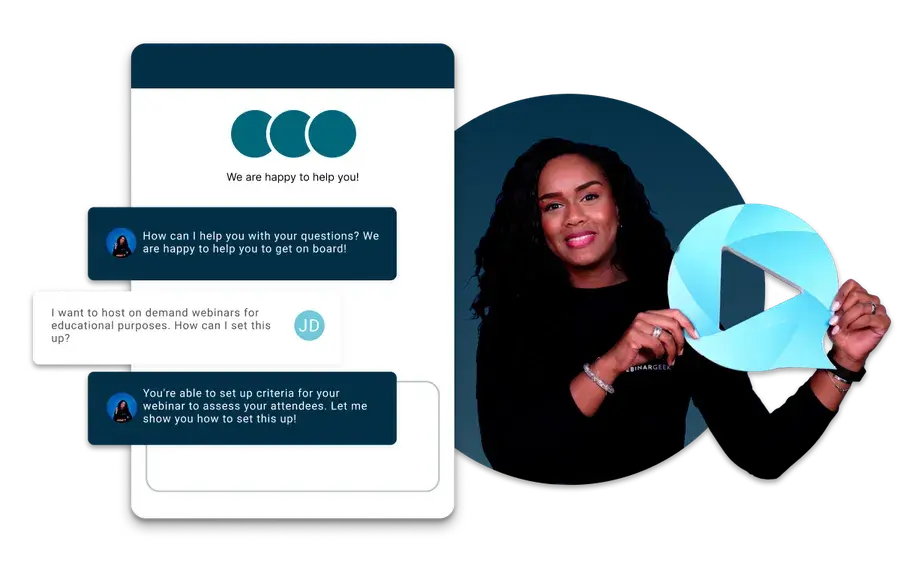
We built a registration page, scheduled a series of automated webinars and let the platform send the reminders and follow-ups. In our experience the set-up was quick, and the registration page took minutes rather than hours.
The platform sent the reminder emails automatically, and it sent follow-ups after each session. That removed the manual work we had been doing in the separate email tool.
Because we were not troubleshooting technical problems, the team could spend its time on the part that matters: the content. We put the effort into the video content itself and into making each session useful to the audience.
The campaign delivered excellent results and the client was pleased with it. The process was easy enough that it freed us to work on other projects.
If you run client projects, the same thinking applies to the paperwork around them. Our guide to choosing a contract management tool covers the agreements side of a project like this.
Which WebinarGeek features matter?
Five features carry the weight: live webinars, automated webinars, on-demand replays, branding and analytics. Together they cover the whole path from registration to follow-up.
Live webinars. You can host from your browser, with no software for hosts or attendees to install. Interaction tools such as polls, Q&A and chat keep a live audience involved, according to the platform’s Capterra listing.
Automated webinars. You can broadcast a pre-recorded session on a schedule. WebinarGeek can simulate engagement such as chat, which gives viewers a live feel. This suits steady lead generation, because the same session can run repeatedly.
On-demand webinars. You can make recordings available at any time, so people watch when it suits them. That widens your reach and keeps producing leads after the live date has passed.
Branding. You can add your logo and adjust colours and registration pages. A branded webinar looks more professional and ties the event to your company.
Analytics. The platform shows who attended and how they engaged. That tells you what works, so each webinar can improve on the last.
What are the limits?
The limits are mainly around integrations, plan tiers and a few missing features. No platform suits everyone, and it helps to know the weak points before you commit.
Independent reviews point to three. Some integrations, such as HubSpot and Salesforce, depend on your plan or need a paid add-on. Breakout rooms are not built in. And some reviewers find the interface less modern than newer rivals. These points are covered in theCMO’s review of WebinarGeek.
Integrations deserve a closer look. WebinarGeek connects to tools such as Mailchimp and HubSpot, and to thousands more through Zapier. But a connection through Zapier is another moving part, and it can add cost.
Check three things before you buy. Does your CRM connect natively on the plan you want? Does the plan include the number of presenters and the session length you need? And do you need breakout rooms or advanced follow-up automation?
If any answer is yes, test it during a trial rather than relying on a feature list.
How do automated webinars fit a Web3 or FinTech sales process?
Automated webinars fit best at the top and middle of the funnel, where you educate buyers before a sales conversation. They let a technical team explain a product once and reach people in several time zones.
In our sector there is a catch. A pre-recorded session says the same thing every time it runs, so every claim in it must be right and must stay right. If you discuss licensing, regulation or returns, have the script reviewed, and re-check it when rules change.
Capture consent properly too. If you register people in the EU or UK, say how you will use their details and give them a clear way to opt out of follow-ups. Our guide on turning webinar sign-ups into sales covers the follow-up stage in more detail.
Then make the next step easy. A viewer who finishes a session should be able to book a call in one click. Our appointment setting playbook for Web3 and FinTech B2B sales shows where that step sits.
How do you plan and promote a webinar?
Plan a webinar by working backwards from the action you want people to take afterwards. Then choose a topic, build the registration page, set the reminders and decide how you will measure it.
Follow these steps:
- Pick one problem your audience has and promise one clear outcome.
- Build a registration page that states the outcome, the date and who it is for.
- Set reminders for the day before and the hour before.
- Plan one call to action at the end, such as a booking or a download.
- Send a replay and a follow-up message within a day.
- Review attendance, replay views and bookings, then improve the next one.
Promotion matters as much as the session. Share the registration link in a LinkedIn post, to your email list and in communities where your buyers spend time. Our breakdown of LinkedIn growth tactics Web3 founders use shows how to build the audience that fills a webinar.
Keep the topic narrow. A session on one specific problem usually attracts better-fit registrants than a broad overview.
How do you decide if WebinarGeek is right for you?
Decide by matching your needs to the platform’s strengths, then testing it with one real webinar. It suits teams that want one tool for registration, delivery, replay and follow-up, and that value ease of use.
Write down your must-haves first. List the number of attendees you expect, how often you will run webinars, whether you need automated sessions, and which tools it must connect to.
Then compare costs. Software Advice lists WebinarGeek plans from about €49 a month, but plans and add-ons change, so check the vendor’s current pricing page. Add the cost of any integrations you will need.
Run one real webinar during the trial, not a test with colleagues. Judge it on three things: how long the set-up took, how reliable the reminders and replay were, and whether the attendee data was useful.
If it passes, you have a tool that can carry a repeatable lead generation channel. If it does not, you have lost very little.
Frequently Asked Questions
Is WebinarGeek easy to use for beginners?
In our experience, yes. It is built to be intuitive, and the set-up for a first webinar is guided. Many teams can have a first session ready quickly, but allow extra time the first time you use any new tool.
Do I need technical skills to use it?
No. It runs in the browser, so you and your attendees do not need to install software. You do not need coding skills to build pages or schedule sessions.
Can I connect it to my marketing tools?
Yes. It connects to tools such as Mailchimp and HubSpot, and to others through Zapier. Some integrations depend on your plan or need a paid add-on, so check this before you buy.
What is the attendee experience like?
Attendees can watch from a browser without downloading anything. Interactive features such as polls, Q&A and chat help keep them engaged during the session.
Can I run paid webinars?
Yes. The platform supports paid webinars, with payments through providers such as Stripe or Mollie, according to Software Advice. Check which payment options your plan includes.
How much does it cost?
Software Advice lists plans from about €49 a month at the time of writing. Prices, limits and add-ons change, so always check the current pricing page.
_________________________________________________________________
Disclosure: We are an affiliate partner with WebinarGeek and may earn a commission from purchases made through some links in this post at no extra cost to you.
Get your business referenced on ChatGPT with our free 3-Step Marketing Playbook.
Want to know how we can guarantee a mighty boost to your traffic, rank, reputation and authority in you niche?
Tap here to chat to me and I’ll show you how we make it happen.
If you’ve enjoyed reading today’s blog, please share our blog link below.
Do you have a blog on business and marketing that you’d like to share on influxjuice.com/blog? Contact me at rob@influxjuice.com.
Latest Blogs
- How High-Ticket Service Firms Get Recommended by AI Engines (ChatGPT, Gemini & Google AI Overviews) in 2027
- How to Get Non-Marketers to Back Your Content Strategy
- Fintech Marketing Attribution: Navigating Buyer Research
- GTA VI marketing lessons: 6 Takeaways From Rockstar’s $3.25B Launch
- Brevo Review: Email, SMS, and WhatsApp Marketing for Web3 Teams