

Choose a contract management tool by testing six things in order: device access, integrations, security and compliance, ease of use, practical AI and pricing. A tool that passes all six will save your team time and reduce risk.
One that fails any of them will end up unused. This guide explains each check, adds the legal points that trip up growing teams, and covers what Web3 companies should check on top.
Quick answers – Jump to section
- Does the tool work on every device your team uses?
- Does it connect to the tools you already use?
- What security features should a contract tool have?
- Will your e-signatures hold up legally?
- How simple should the design be?
- Which AI features are worth paying for?
- How should you compare pricing?
- What should Web3 teams check on top?
- How do you run a trial and make the decision?
- Frequently Asked Questions
Does the tool work on every device your team uses?
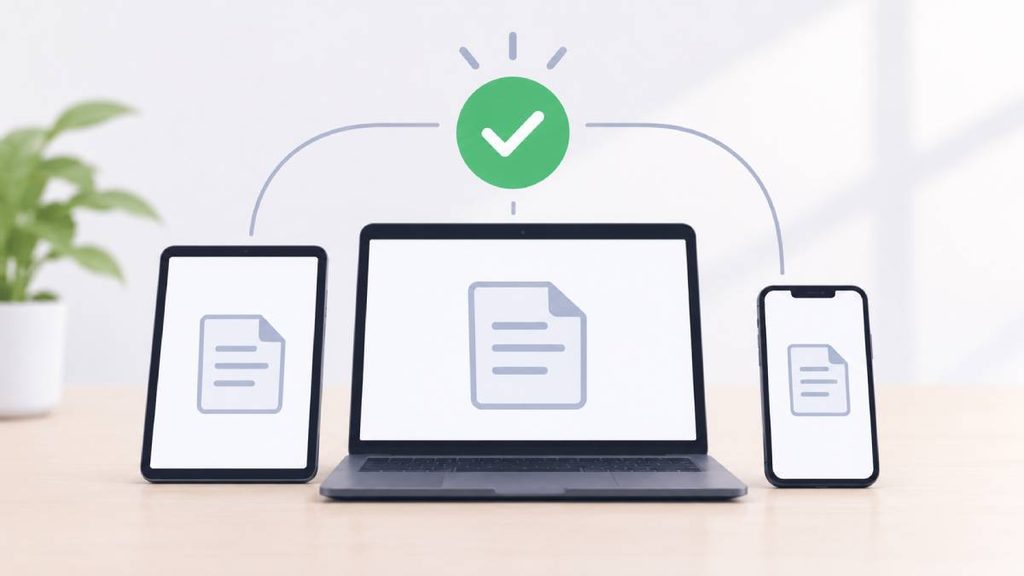
A contract tool should let people review, edit and sign on a phone, a tablet and a laptop, because contracts rarely wait for someone to be at a desk. If the mobile version is a cut-down afterthought, deals will stall.
Test three situations before you commit. A salesperson should be able to finish an agreement on a laptop while travelling. A lawyer should be able to read and comment on clauses on a tablet. A manager should be able to approve from a phone between meetings.
Real-time collaboration matters just as much. Several people should be able to work on the same contract without overwriting each other, even from different countries. Look for clear version history, so you can see who changed what and go back if needed.
Ask the vendor to show you the mobile app, not a screenshot of it. Then open it yourself on your own device. Small problems, such as tiny buttons or slow loading, are hard to spot in a demo and obvious in daily use.
Does it connect to the tools you already use?
A contract tool should connect to the systems your team already uses, such as your CRM, your messaging app and your cloud storage. A tool that sits on its own forces people to copy details between systems, and that is where errors creep in.
Three connections matter most for many teams. A CRM link keeps customer details and signed agreements in one place. A project management link can start work when a contract is approved. A messaging link, for example to Slack or Microsoft Teams, can tell people when a contract is ready for review.
Do not take “integrates with” at face value. Ask whether the connection is built in, or whether it needs a third-party automation tool that adds cost and another point of failure. Ask which fields sync, and in which direction.
Write down the five steps your team takes today from first draft to signed contract. Then check how many the tool can automate. If it removes manual steps, it earns its place. If it only stores files, you are paying for a folder.
What security features should a contract tool have?
A contract tool should encrypt documents, record every change in an audit trail and meet a recognised security standard. Contracts hold payment terms, intellectual property and confidential clauses, so a breach can cost money and reputation.
Look for these features:
- Encryption: documents should be encrypted in storage and in transit.
- Access controls: you decide who can view, edit or sign each document.
- Audit trails: a log of every action, showing who did what and when.
- A recognised standard: many vendors hold certification to ISO/IEC 27001, the international standard for information security management.
Treat a certificate as a starting point. Ask for the certificate itself, check the scope and the date, and find out what it covers. A certificate for one office does not cover the product you will use.
Data protection matters too. If you hold personal data about people in Europe, check where the vendor stores data and how it handles deletion requests. Ask for a data processing agreement before you sign.
Will your e-signatures hold up legally?
Whether an e-signature holds up legally depends on the type of signature and on where you operate. In the EU, only a qualified electronic signature is explicitly recognised as having the same legal effect as a handwritten one. The European Commission explains that electronic signatures in the EU are governed by the eIDAS Regulation.
Other types of e-signature are not automatically refused. But they may carry less weight if the agreement is disputed, so the type you choose should match the risk of the contract. A low-value supplier agreement and a long investor agreement do not need the same level.
Ask any vendor which signature types it supports, and which of them are qualified under eIDAS. If you work with the UK, the US or other markets, the rules differ, so check each one with a lawyer.
Also check what evidence the tool records. A good audit trail shows who signed, when, from which device and after which version of the document. That record is what you will rely on if a signature is ever questioned.
How simple should the design be?
The design should be simple enough that a new team member can create and send a contract without training. A tool that is hard to use will collect dust, however good its features are.
Check four things:
- Navigation: can someone find a template, fill it in and send it within a few minutes?
- Templates: can you build templates that your lawyer has approved, so people do not write clauses from scratch?
- Roles: can sales, legal and finance each see only what they need?
- Growth: can you start with storage and signing, then add features later?
A startup might begin with storage and e-signatures. As volume grows, it can add renewal reminders and approval workflows. Buy for the next year, not for a future that may not arrive, and make sure upgrading is simple.
Sit one person who has never seen the tool in front of it. Give them a real task and say nothing. Where they hesitate is where your team will hesitate too.
Which AI features are worth paying for?
The AI features worth paying for are the ones that save time on tedious work: pulling key terms from old contracts, flagging unusual language and searching across all your agreements. Anything that sounds impressive but does not shorten a task is a gimmick.
Three features are practical:
- Data extraction: upload old contracts and let the tool pull dates, parties and clauses into searchable fields.
- Risk flags: the tool highlights language that differs from your standard terms.
- Smart search: find a specific clause across hundreds of contracts in seconds.
Be careful with AI review. It can miss context, and it can state wrong things with confidence. Treat its output as a first pass that a person checks, especially for anything with legal or financial consequences.
Ask where your documents go when the AI reads them. Some tools send text to outside models. Find out whether your contracts are used to train anything, and whether you can switch the feature off.
How should you compare pricing?
Compare pricing by working out the total cost over a year for your real team size, not by comparing headline monthly prices. Hidden fees and complicated tiers are the most common source of nasty surprises.
Ask these questions of every vendor:
- Is there a setup or onboarding fee?
- Is the price per user, per contract or flat?
- Do support and updates cost extra?
- What happens to the price when you add users or features?
- Can you cancel monthly, or is there a long contract?
Build a simple sheet with each vendor in a column and the full yearly cost in a row. Add the cost of the extras you will really need, such as integrations or extra storage. The cheapest listed price is often not the cheapest tool.
Be wary of a price that is only shown after a sales call. Ask for a written quote, and check how the price changes at renewal.
What should Web3 teams check on top?
Web3 teams should check how a tool handles contributors, token or stablecoin payments and cross-border parties. Many agreements in our sector involve people in several countries, paid in ways a standard contract template does not cover.
Start with payment terms. If you pay contractors in stablecoins, your contract should state the asset, the network, the valuation date and who bears the fees. Our guide to paying UK and EU contractors with stablecoins covers the practical side.
Next, think about governance. If decisions are made by a DAO, agreements may need approval from several parties, and you may need a record of who approved what. Our list of DAO tools that help remote teams decide faster shows what sits alongside contracts.
Finally, remember that code is not always a contract. In many places, a smart contract alone may not create a legally enforceable agreement, so a written contract still has a role. Check this with a lawyer in each country you work in.
How do you run a trial and make the decision?
Run a trial by testing two or three shortlisted tools with one real contract each, then score them against the six checks. A trial with a made-up document tells you very little.
Follow these steps:
- Shortlist two or three tools that pass your security and pricing questions.
- Take one real contract through each, from draft to signature.
- Involve legal, sales and finance, because each uses the tool differently.
- Score each tool from one to five on the six checks.
- Read recent user reviews on sites such as G2 or Capterra, and look for complaints about support and renewal pricing.
Keep the trial short and the scoring honest. A tool that scores well but that nobody likes using will not last.
Judge every tool you adopt in the same way, whatever its category. We applied the same thinking to the webinar platform we use, and the checks carry over: does it fit the workflow, is it simple, and does it earn its price?
Frequently Asked Questions
What is a contract management tool?
It is software that helps you draft, review, sign, store and track contracts in one place. Better tools add templates, approval workflows, reminders for renewals and search across all your agreements.
Are e-signatures legally binding?
It depends on the type of signature and the country. In the EU, a qualified electronic signature has the same legal effect as a handwritten one under the eIDAS Regulation. Other types may carry less weight in a dispute, so match the type to the risk of the contract.
Does a small team need contract management software?
Not always. A team with a handful of simple agreements may manage with templates and a shared folder. Software starts to pay off when contracts multiply, several people are involved or renewals are being missed.
Is AI contract review safe to rely on?
Use it as a first pass, not a final answer. AI can miss context or state errors confidently, so a person should check anything with legal or financial consequences. Also ask where your documents are sent and whether they are used to train models.
How long should a trial last?
Long enough to take one real contract through from draft to signature with every team involved. For many teams that is a couple of weeks. The aim is to test real use, not to tick off features.
Want to know how to increase customers and sales for your business?
Tap here to chat to me and I’ll show you how we make it happen.
If you’ve enjoyed reading today’s blog, please share our blog link below.
Do you have a blog on business and marketing that you’d like to share on influxjuice.com/blog? Contact me at rob@influxjuice.com.
Want to know how we can guarantee a mighty boost to your traffic, rank, reputation and authority in you niche?
Click here to access our Playbook – ‘SEM/GEM Guide’.
Latest Blogs
- How a Gamified Skool Community Can Help You Win More Clients (And Make Selling Fun)
- How High-Ticket Service Firms Get Recommended by AI Engines (ChatGPT, Gemini & Google AI Overviews) in 2027
- How to Get Non-Marketers to Back Your Content Strategy
- Fintech Marketing Attribution: Navigating Buyer Research
- GTA VI marketing lessons: 6 Takeaways From Rockstar’s $3.25B Launch